- Shutdown the PC and hookup Y cable to keyboard port and keyboard to the Y adapter and boot up the PC
- Look on documentation or poster for bar code called SET DEFAULT then scan one time
- Look for bar code called <DATA><SUFFIX I> then scan one time.
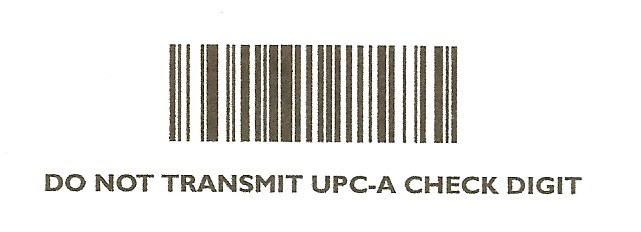
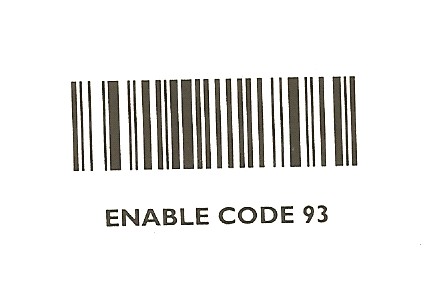
- Look for bar code sheet attached to this doc and scan
DO NOT TRANSMIT UPC-A CHECK DIGIT and
ENABLE CODE 93 one time each.
Then go into 5.1.8.1 (Barcode Entry) bring up a part# and scan code in the product and save. Then go into POS and you should be able to scan and the same barcode in an order and bring up the product.
* Note if you can not find these bar codes, please call Perfection Software Support.